Introducing Hacker TV
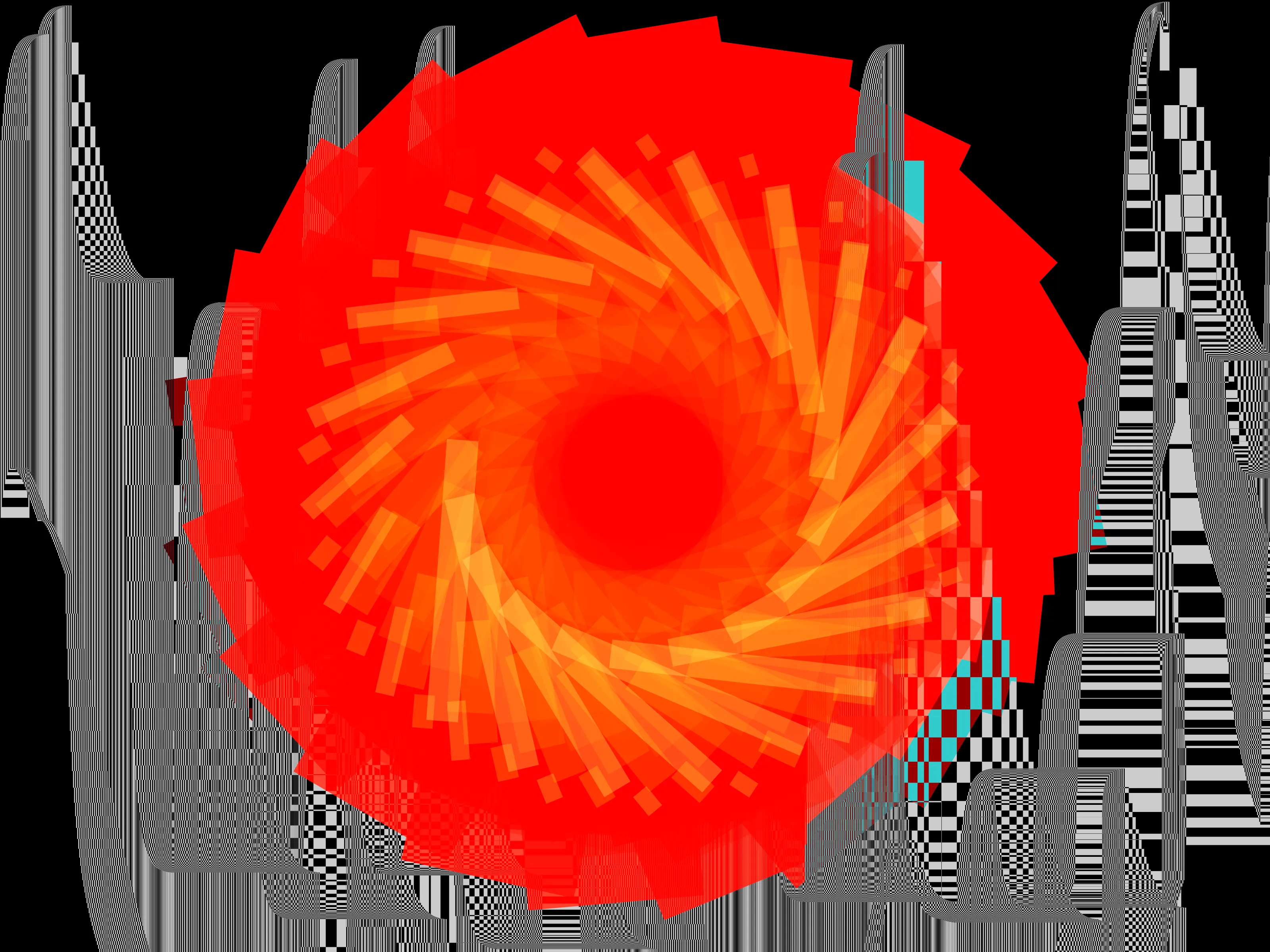
Today I am announcing the release of Hacker TV, a video synthesizer for the world wide web!
One of the things I love so much about audio synthesizers is that they are a tool for creating something from nothing: the signal and its processors are generated entirely by the player from within the machine. The resulting sound is a kind of magic: that something seemingly simple can make something uniquely expressive. I have been playing some of my favorite synthesizers for over a decade and have never once been bored. I have yet to approach exhausting any of the possibilities of these instruments.
Of course, the same creation from nothing is possible with visuals, too, by working in the medium of light. Video synthesizers are even more unusual, though. Few hardware options exist and many of them work in a fundamentally different way: by processing a signal that comes from without. This is cool and can yield impressive results, but philosophically it’s much less interesting to me. To work with video is to come into the creative process too late in the game: when thousands of decisions about the image have been made and the material is less flexible. Generating signals directly allows the artist to work on the fundamentals of perception more directly: light and sound.
In any case, video synthesizers require a lot of patching and a collection of unusual adapters to integrate with modern workflows: capturing and recording is a burden and violates an additional philosophical principle: to go from thought to expression as quickly and directly as possible. It seems like software is the best solution, and existing tools have some appeal; especially Max (Jitter), TouchDesigner and Processing but each of them has a learning curve and feature sets I am not interested in. I will likely end up working with these tools in the future, but my third philosophical goal is to prove the value of the Web as an artist’s medium.
Minimum Viable Product: Overlapping Rectangles
I began building Hacker TV as a proof-of-concept in January 2026. To align with my design goals, my video synth needed to display and animate three rectangles simultaneously. One rectangle must be red, one green, and one blue. When rectangles overlap, they must create yellow, cyan, magenta and white as appropriate. The UI must be accessible to keyboard users while still being fun, and the animation must run at 60fps (for software quality reasons: not aesthetics; throttling the animation is fine).
I spent a couple hours hacking together the proof of concept. The HTML canvas element was a convenient and obvious choice with its blend modes and fill rectangle methods. Most of the time building the POC was rescuing a custom Slider from an abandoned React project: the React API is nicer to work with than vanilla JS in some ways, but since I am building my website to last I prefer to use Web standards than frameworks. This is not a requirement and I would have used React for this without much objection if it came to it. I would expect AI to make migration from frameworks to Web standards trivial.
Hacker TV was operational but a little bit boring. Fun is not a requirement of the MVP: the first part is purely to understand the technical foundation. Still, it was kind of fun animating rectangles and watching them interact, creating new colors in the overlapping areas. There is something cool about seeing the primary colors of light demonstrated in this way even though it is not surprising.
One always learns something by using a product: the first lesson is the relationship between the UI and its effect. If X and Y origin and Height and Width each corresponds to a slider, it starts to feel almost like it would be better to allow click-and-drag on the canvas itself to define a rectangle. Does the user expect animation to pause while drawing on the canvas with a mouse? How does the user determine which rectangle is being drawn? By counting? By requiring a separate click to select? By using a key press combination (a modal mixture that presents accessibility challenges and becomes impractical on mobile devices anyway). Ultimately, none of these experiments was satisfying. Instead, Height and Width scale exponentially. This allows finer control in the lower part of the range where the sliders are more likely to be set and as it approaches the upper part of the slider, it expands to fill the entire dimension. This is sufficient to break the 1:1 association of the UI control with its effect.
A few hours of looking at the same three rectangles becomes boring, so I added a button to randomize the parameters on page load. In this stage, the animation works entirely by framerate: e.g. the origin is translated by a tiny fraction in each animation frame. The same settings look different on a laptop than on a phone as a result: a clear problem to fix in the next iteration.
Modulation: the Lifeblood of a Synthesizer
Unsurprisingly, the video synth needs modulation in the form of LFOs (low frequency oscillators, for the uninitiated). This solves the timing discrepancy by separating the animation from the frame rate. LFOs are simple enough to make, but programming in the age of AI makes this an interesting challenge. Once I’ve declared a const lfo1, Copilot knows what to do: it makes an object with keys for saw, square, tri and sine. I cannot resist tab completion when the imperfect code it creates adds immediate value: I can see the result of modulating the x origin right away? Sign me up.
The judicious use of AI requires thought and taste. The AI code for this would suit most people, but a discerning synthesizer designer like myself realizes the bipolar LFOs are disgusting. Bipolar LFOs require the artist to set the offset and modulation depth in harmony with each other, meaning that changing one will most often necessitate changing the other. When you have a sufficiently large patch, this becomes a pain to tune and to keep track of. When the modulation depth or offset is itself dynamic, the difficulty spikes and you end up with those wack woo-woo-woo-woo synth effects. LFOs with too much depth and a strictly regular rate become fatiguing in video, too. It’s just less obvious.
Sine waves are also horrendous. The smooth undulations seem useful, but the rate of change slows as it nears the peak and the trough. The triangle shape is sufficient for back-and-forth modulation and has the benefit of being constant: more mathematical and somehow less “ideal”.
Finally, the square wave modulation is fine, but it’s worth adding a configurable threshold to provide a variable pulse width instead. Adjusting the duty cycle of a square wave LFO can create interesting effects and it’s a great real-time performance control to shift the balance of modulated/unmodulated signals. I am surprised AI didn’t implement it this way initially, but maybe this is an effect of the probabilistic nature of AI. Most people will implement square waves without PWM because it makes a more natural vibrato. Proponents of bipolar LFOs have their reasons, too, but these would be likely stumbling blocks for a vibe coder without expertise and opinions in synthesizer design. If you are such a person, what is it like outside?
Originally, I experimented with making some LFOs bipolar (there are use cases: more on that later). I experimented with tuning each LFO to different rates or adding “random” as a shape. This became unwieldy when comparing one LFO to another in the UI, it seemed that some would be malfunctioning because the rates would be different for similar positions. This makes it difficult to scan and find a suitable LFO for a certain effect. In the end, making each LFO act the same and providing nine of them has created the best experience.
LFOs are a primary modulation tool, but they are periodic and predictable. Flux staggers toward a series of random targets, creating an organic drifting gesture. Sample and Hold selects the instantaneous value of an input signal at its clock pulse and holds that value until the next clock pulse. Track and Hold is similar, but it follows the input signal and holds it when the clock pulse is high. These techniques unlock advanced functionality in Hacker TV. For example, you can patch the Sample and Holds as an Analog Shift Register to create a cascading modulation effect. Hacker TV’s modulation system can produce a wide assortment of surprising visual effects and flourishes that are much more captivating than plain LFO movement.
As the variety of modulation grew, new problems emerged: sliders became an impractical way to set modulation depth (having little bits of modulation mixed into everything can create a sort of incoherent noise). Changing one’s mind became expensive in patching the synth. The decision to modulate a rectangle’s height with LFO 1 meant finding the corresponding slider and moving it to zero in addition to maximizing the LFO 2 mod depth slider. The most obvious solutions are to make routing decisions on behalf of the synthesizer player (a heresy), scale back the variety of modulation (restrictive), or add a modulation matrix (complex to build and to use).
A Modular Video Synthesizer
Since I have no requirement at all to make Hacker TV especially user friendly, I decided on an unusual way to handle modulation. Each destination has an offset and a corresponding Modulation Amount parameter that controls the depth of each modulation. This means that if LFO 1 and LFO 2 are routed to width, the LFOs are affected by the modulation depth and then summed together. Since each modulation is scaled by the same amount, it makes it easy to change routings without having to repatch. Mixing multiple modulations together is easy and if modulation ever starts to “pin” at the top, reducing the modulation amount will bring it down. You can also exploit the pinning for creative effects.
This decision requires that each modulation source have its own routing section, but it provides the advantage that a single source can quickly be routed to multiple destinations. For example, changing color and geometry channels at the same time creates intricate linked effects, but what if you need to make the modulations mirror each other or move against each other?
This required the creation of Processors. The processors are more sophisticated mixers that allow fine-grained control and inversion, but as a result are limited to the number of inputs they can accept. Processors are also the way to create bipolar voltages: by mixing in an offset and an inverted modulation source, you can modulate around the offset. This is useful for situations like causing a stutter or jitter on an otherwise evolving motion. The processors can also attenuate each input: some sources like noise and square waves are much easier to patch when attenuated for subtle effects.
Gradually, Hacker TV became a fully modular video synthesizer: nothing is routed in the default patch. Part of the reason for this is that modular synthesizers are cool, but a more important reason is that it’s practical as an “onboarding” exercise to allow users to choose the modulation and see the effect. My hypothesis is that it will be easier to make the synthesizer intuitive than to explain synthesis in general or particulars of Hacker TV.
I am aware that there are a staggering number of parameters and although early prototypes were fun to use on a phone, it became unsustainable as it grew. Full screen mode is unavailable on iPhone. Changing parameters without being able to see the result is not fun… and anyway there is a lot to do. As a compromise to the limited mobile editing functionality and the difficulty of building patches from scratch, I added several presets that are fun to select from the drop-down menu.
Staying True to the Vision
This is the first personal project of substantial complexity I’ve made partially with AI. I am not one to vibe code anything, but being able to do quick, incorrect things as a proof-of-concept suddenly becomes possible in a way that it wouldn’t before since test driving fleeting ideas would require me to write those features. For example, I can compel AI to make the sources support gradients instead of solid colors or to draw shapes other than rectangles and build that out quickly, sloppily, at just-good-enough quality. Each of these and other ideas I can explore are kind of fun, but the complexity continues to grow and eventually the UI itself becomes a limitation. With a two-color gradient, why not adjust the color stops? Why not add more? Why not change hue/chroma/lightness/alpha independently?
Again, the question of “what to build” is up to the human programmer: AI does not grasp concepts like “fun” or “irritating to program” in a meaningful way. It is also evident that engineering skill is essential for prompting AI and knowing what is not worth pursuing. Maybe I could attempt to provide context for fun or how much programming complexity I think users would bear, but this seems pointless to me since I can use the product. AI is a means to an end and of no interest to me in itself.
In general, the user interface is the most important part of software. It does not matter what features software has. It matters what users do with software. Hacker TV users will draw as many as three single-color rectangles. My ambition is to make this activity meaningful and engaging by continued development. The next features will help make patching the video synthesizers easier and preserving its output more practical.
Upcoming features
-
Record video (to prevent “walled garden” problems)
-
User presets
-
Configurable video dimensions
-
Additional presets demonstrating functionality (clever ways to program Hacker TV from the UI)
-
MIDI CC implementation (where available)
-
UI Refinements
-
Audio reactivity
-
Webcam/video stream mixing
-
User manual/tutorial videos
-
Geometry tweaks and antialiasing (optional)
If you would like to support development of these features, the best ways are:
-
Share Hacker TV with friends/Internet randos (https://luketeaford.com/software/hacker-tv)